
See it finished before you start.
Upload a photo of your garden, house front or any room. Get a photorealistic redesign of your space in seconds — then drop in real products and shop the look.
Drop a photo of your space — yard, room, or exterior
Yard, room or house front — we'll open Design StudioJPG, PNG, WEBP — outdoor or indoor. We'll open Design Studio
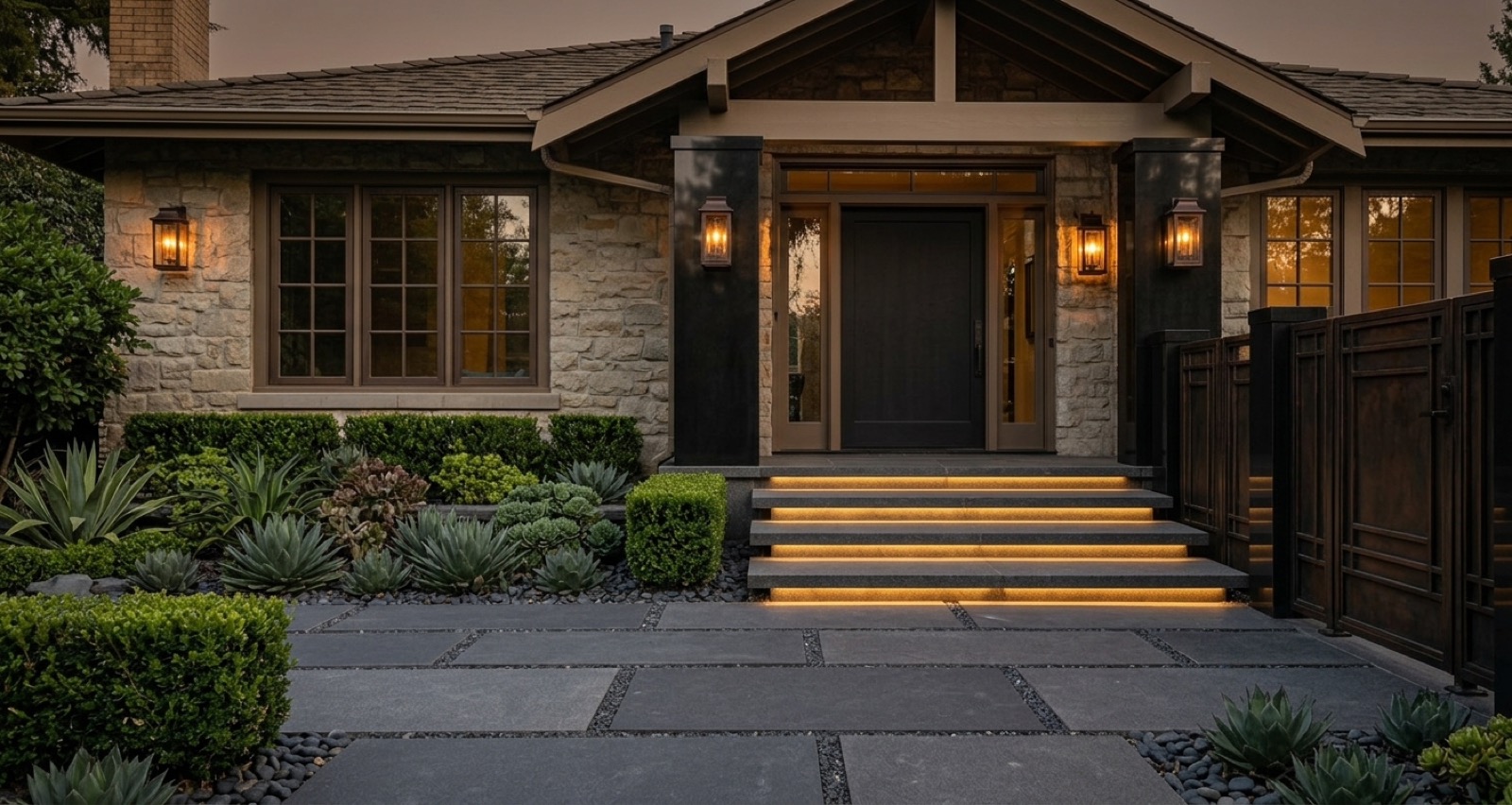
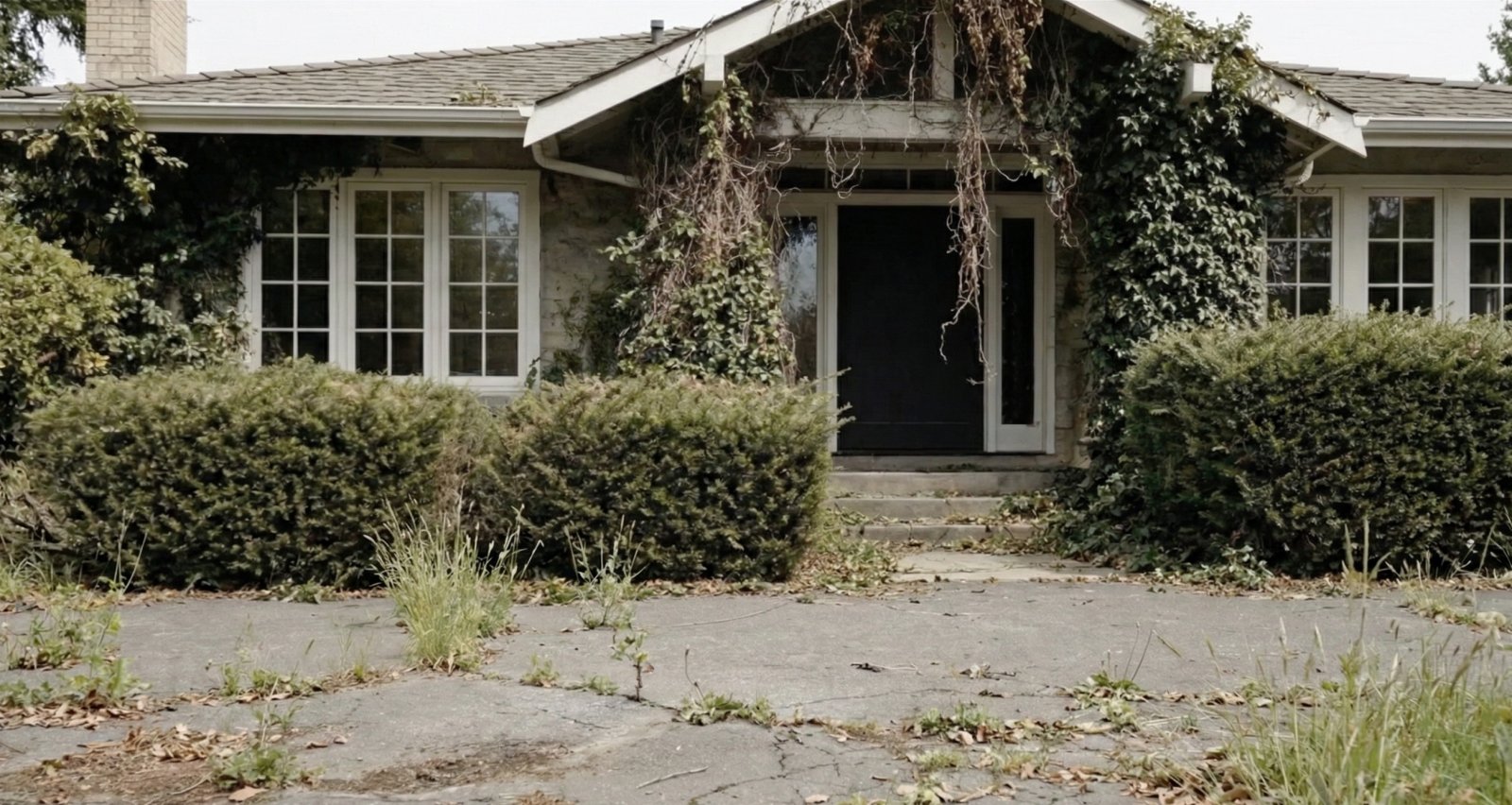
Swipe the handle left or right
Loading community examples…
Gallery →One account · three steps
See it. Place it. Buy it.
Most AI tools stop at a pretty picture. We take you from “what could this look like?” to the products that build it.
Redesign your actual space
Upload a phone photo of a garden, house front or any room. Pick a style and get a photorealistic redesign of that exact space — your walls, your light, your layout.
Open Design Studio →Try a real product in the room
Found a sofa, a planter or a light you like? Add its photo next to your room photo and see it placed in your space before you order.
Open Product Visualiser →Shop the look
Every redesign comes with a breakdown of what's in it and matched products you can buy, so the idea turns into a shopping list.
See real results →Walk inside it
Don't just look at it. Walk through it.
Turn a finished redesign into a real 3D space you can walk around in your browser — look behind the planters, stand on the new patio, check the view from the sofa. No headset, no app.
- Built from your own redesign
- Works on phone and desktop
- 5 credits, unlocked by any credit pack
How it works
Three taps. One redesign.
No prompts to write and no design skills needed. Built only for homes and gardens — just upload a photo and pick a look.
22
Design styles
21
Space types
7
Free credits
- 1
Upload a photo
A yard, patio, house front or room. Straight from your phone.
- 2
Pick a style
Cottage garden, modern minimalist, Japandi, coastal — or a seasonal look.
- 3
Get your redesign
Compare before and after, download it, and shop the products in it.
For the trade
Win the job on the doorstep.
Clients say yes faster when they can see it. Take a photo on site, show them the finished result on your phone, and agree the look before a single quote goes out.
Landscapers & gardeners
Show the finished garden on the client's own photo, on the doorstep, before you quote.
Builders & renovators
Extensions, facades and driveways — agree the look up front and cut the back-and-forth.
Interior designers & stagers
Turn an empty or tired room into three directions in minutes, then refine the winner.
Homeowners, too
Plan it yourself, then hand your tradesperson a picture of exactly what you want. No more “that’s not what I meant”.
FAQ
Questions, answered.
Is it really free to try?+
Yes — every new account gets 7 free design credits, no card required. One credit is one full redesign.
Will the result actually look like my space?+
Yes. We redesign the photo you upload, keeping its layout, perspective and structure — not a generic stock scene.
What can I redesign?+
Gardens, patios, driveways, house fronts and every room inside. Design Studio covers landscape, exterior and interior. Seasonal Halloween and Christmas styles decorate your photo without redesigning it.
How does Product Visualiser work?+
Upload a photo of your space and a photo of a specific product — from any shop's website — and we place that product into your space so you can see it before you buy.
Is there 3D?+
Yes, as a paid extra: a true 3D walkthrough (World Labs) builds a space you can walk around from a finished design. It costs 5 credits and unlocks with any credit pack, including Starter.
I'm a landscaper or builder — can I use it with clients?+
Yes, that's what it was built for. Designs are yours to download and show clients. For team or volume needs, message us through the contact form.
What kind of photos work best?+
Any clear daytime photo. A phone photo is fine — no special angle or lighting needed.
Something else? Send us a message.
Your space, reimagined in seconds.
7 free credits. No card required.